Save to your original file
Save changes back to the opened PDF when it is writable, or choose Save a Copy to keep the source unchanged. Improved keyboard save controls make the choice easier.
Read, edit, organize, OCR, convert, secure, and professionally print PDFs in one focused Windows app—without uploading document content to Folio servers.
Now available · Version 2.0.12
Folio PDF Studio 2.0.12 is now available in Microsoft Store. Explore improved editing, saving and exports with a seven-day trial, then continue with a one-time purchase. Already own Folio? Check for updates in Microsoft Store.
Start the seven-day trialSave changes back to the opened PDF when it is writable, or choose Save a Copy to keep the source unchanged. Improved keyboard save controls make the choice easier.
Improved previews help you review recognized-text changes before saving. Recognition depends on the document; check the result before sharing.
Export improvements carry current edits and page composition into your output, with better Word export handling. Complex layouts may still need cleanup.
Additional safeguards help prevent exporting a document with pending redactions. Apply redactions before sharing; covering text is not secure redaction.
Watch Folio in action · 27 seconds
See a real text edit and Save to Original in Folio PDF Studio 2.0.12, using a fictional sample document.
Silent demonstration with English captions. The local folder path is hidden for privacy. Save to Original requires a writable file.
Select the heading “A clearer” in the sample PDF, change it to “A clear”, and apply the edit. Review the updated page, choose Save PDF, then Save to Original. Confirm replacing the opened PDF. Folio displays a successful export notification.
One app, fewer handoffs
Folio brings the PDF tools people use every day into a consistent workspace that respects the document and the person working on it.
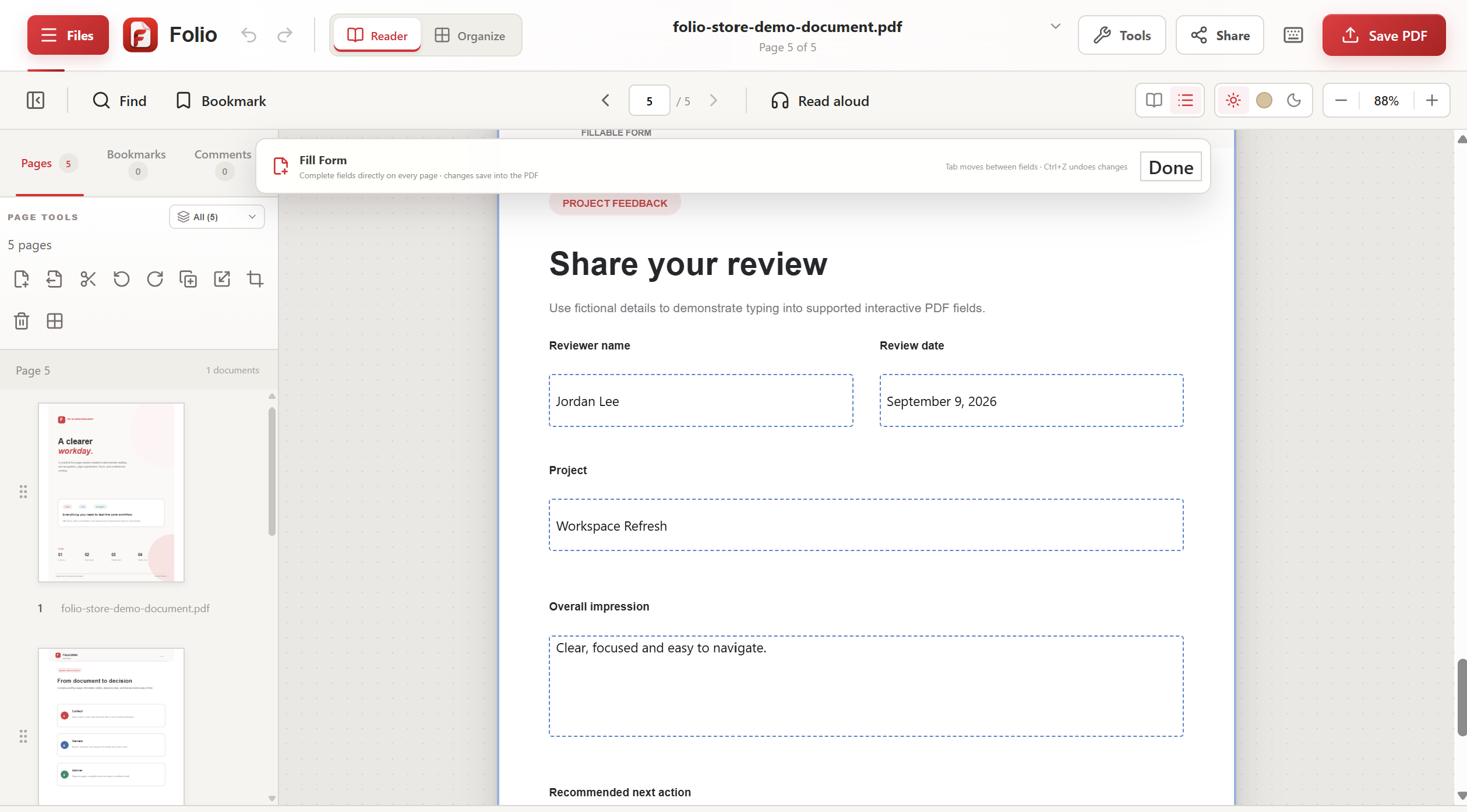
Update detected text, fill forms, and keep everyday document work moving.
Combine, split, crop, rotate, resize, reorder, and extract pages in a few focused steps.
Run OCR locally across 13 languages, including English, Arabic, French, German, and more.
Export editable Word, Excel, PowerPoint, and Canva-compatible presentation files.
Redact sensitive information and compare document versions with clear visual reports.
Control scale, position, margins, duplex, grayscale, pages per sheet, and live preview.
Choose the workflow you need
Explore practical guides to Folio’s editing, privacy, OCR, page organization, and conversion workflows.
Designed around real work
Explore the refreshed workspace in Folio PDF Studio 2.0.12, now available for Windows through Microsoft Store.
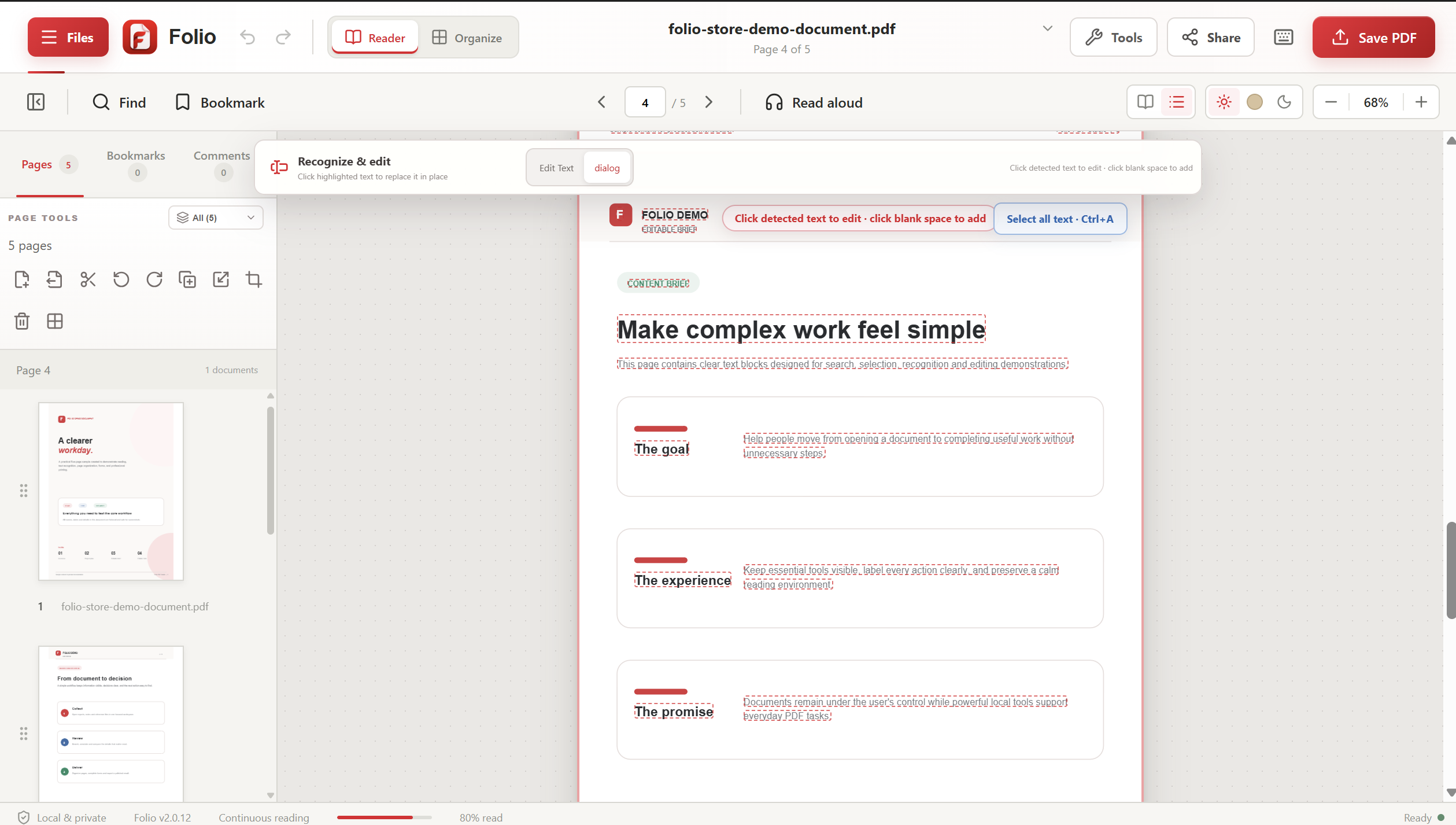
Select recognized text for editing. Version 2.0.12 improves edited-text previews and saving to the original file when writable, with Save a Copy available separately.
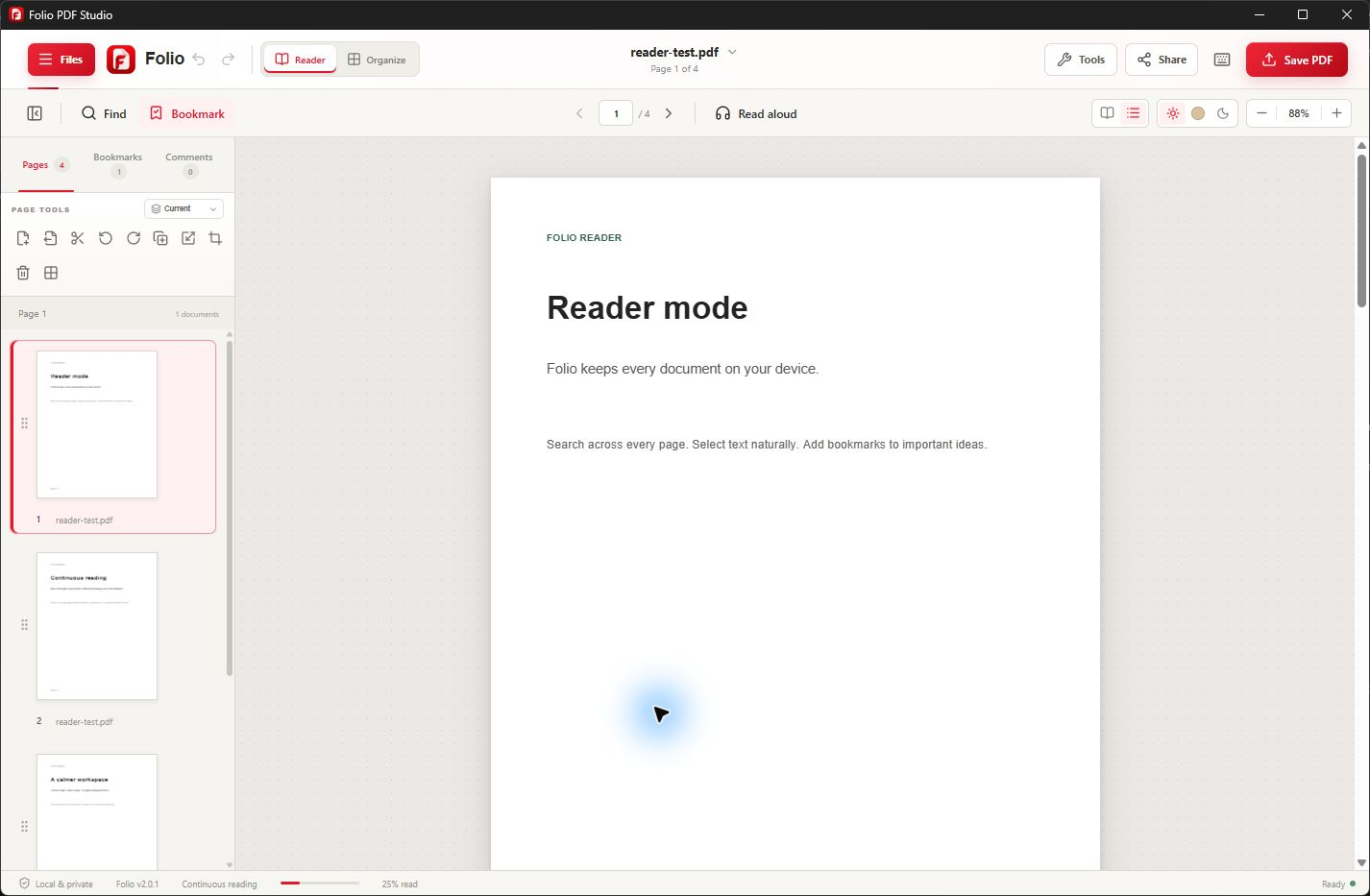
Search, bookmark, zoom, navigate, and use read-aloud from a calm, dedicated workspace.
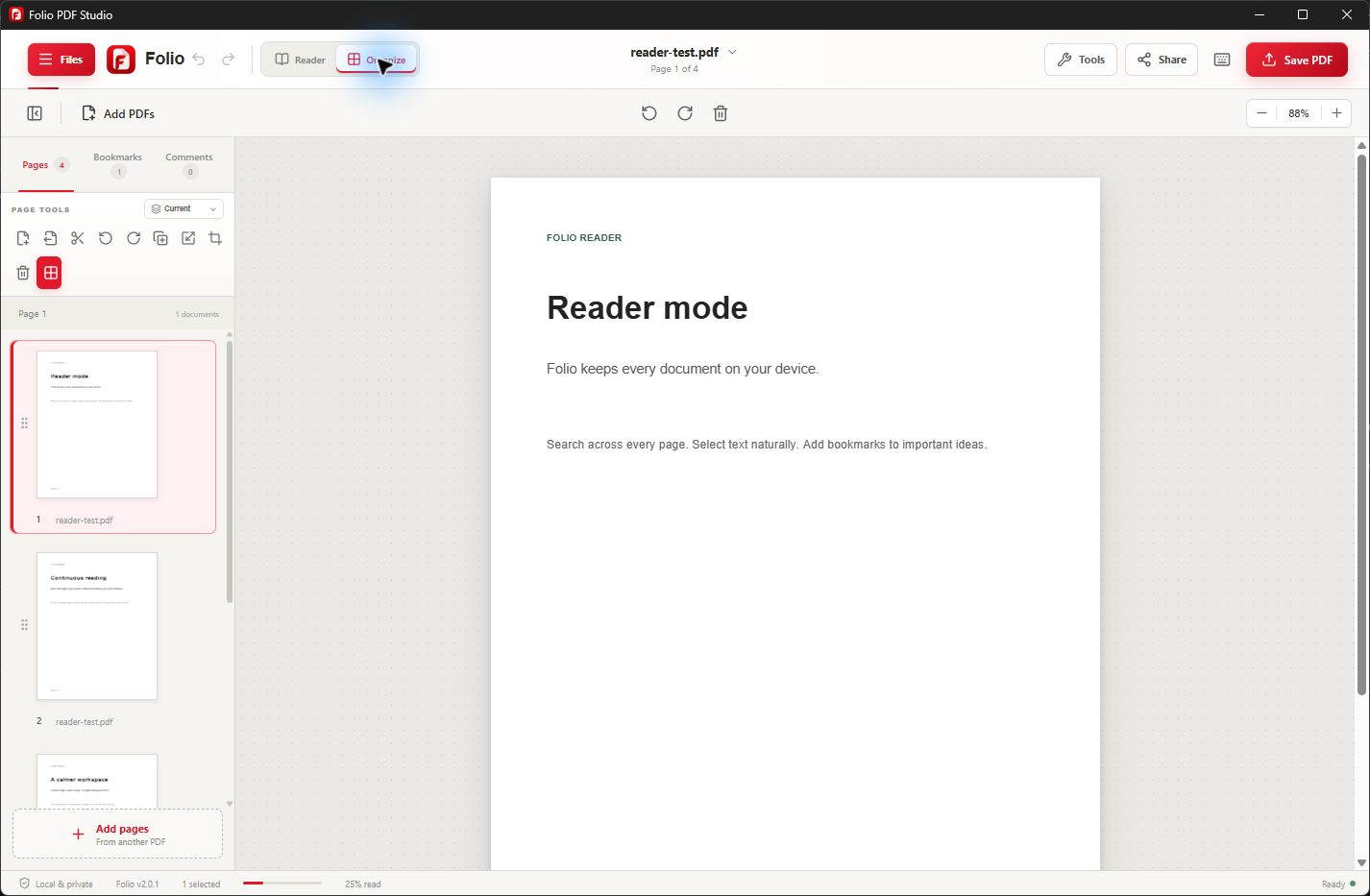
Reorder, rotate, extract, split, crop, or combine pages without losing the bigger picture.
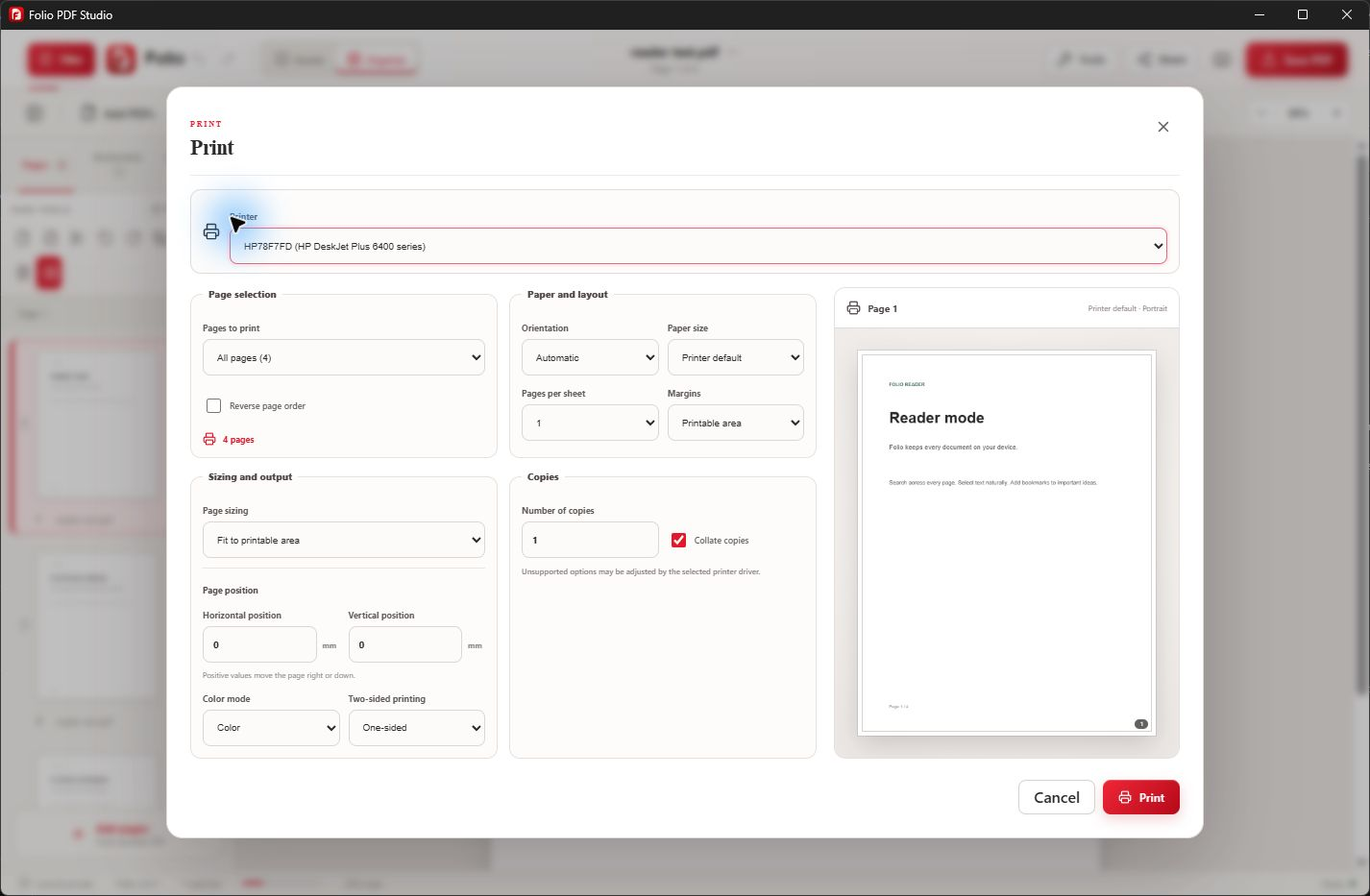
Preview professional print settings before paper, ink, or time is wasted.
Your files stay yours
Core PDF processing and OCR run locally on your Windows device. Folio does not upload PDF contents, extracted text, annotations, form entries, or OCR results to Folio servers.
Built for worldwide work
Folio supports 13 interface languages and offline OCR across 13 languages. English, Arabic, Chinese, French, German, Hindi, Italian, Japanese, Korean, Portuguese, Russian, Spanish, and Turkish experiences are part of the product.
Explore Folio in your languageReady when your next PDF is